
That gap matters more now than it used to. Remote and hybrid work aren't fading out: the Bureau of Labor Statistics' 2025 telework trends analysis found a 7.9% telework rate among workers aged 16 to 24 in early 2024 alone, on top of millions more logging into daily video calls from home offices and contact-center floors. On every one of those calls, microphone quality decides whether you're understood the first time or asked to repeat yourself.
This guide compares five USB headset options, wired, USB-C, and wireless with a dongle, and explains how to choose between them without leaning on brand name alone.
Key Takeaways
- USB headsets carry playback and microphone audio through one port, so setup stays plug-and-play.
- Prioritize microphone quality, all-day comfort, and USB-A/USB-C fit over sticker price.
- Match the headset to your use case: budget buys, PC desks, USB-C laptops, wireless mobility, or bulk office rollout.
- Confirm current pricing, warranty terms, and exact connector before ordering, since specs vary by SKU.
Overview of USB Headsets With Microphones in the US Market
A USB headset connects to your computer through a single digital port, carrying both the audio you hear and the voice your microphone picks up. Windows and macOS generally recognize the device automatically, with no separate sound card configuration required.
That's different from 3.5 mm analog headsets, which fall outside this guide's scope unless you pair them with an active USB audio adapter rather than a passive splitter.
| Connection Type | Best For | What to Check |
|---|---|---|
| USB-A | Older desktops, docking stations, most desk phones | Confirm a free USB-A port exists on your PC or dock |
| USB-C | Newer laptops, USB-C docking stations | Confirm the port supports USB audio, not just charging |
| 3.5 mm analog | Legacy jacks, budget setups | Needs an active USB audio adapter if your PC lacks a jack |
| Bluetooth with USB dongle | Wireless freedom, shared desks | Dongle handles PC pairing; range and battery vary by model |
USB headsets show up everywhere from single remote-work setups to hundred-seat contact-center floors, largely because they work with VoIP softphones, Zoom, Microsoft Teams, and desktop UC apps without extra drivers. The five models below were evaluated against the same criteria and matched to different buyer needs.

Top / Best USB Headsets With Microphones
Best USB Headsets With Microphones
We assessed every headset against microphone quality, audio performance, connection type, comfort, controls, compatibility, durability, support, and price. None of these five is universally "best."
The right pick depends on whether you're buying one headset for a home office or fifty for a contact-center floor. Specs come from manufacturer documentation and current listings; anything we couldn't reliably confirm is flagged for verification.
TruVoice USB Headset Range
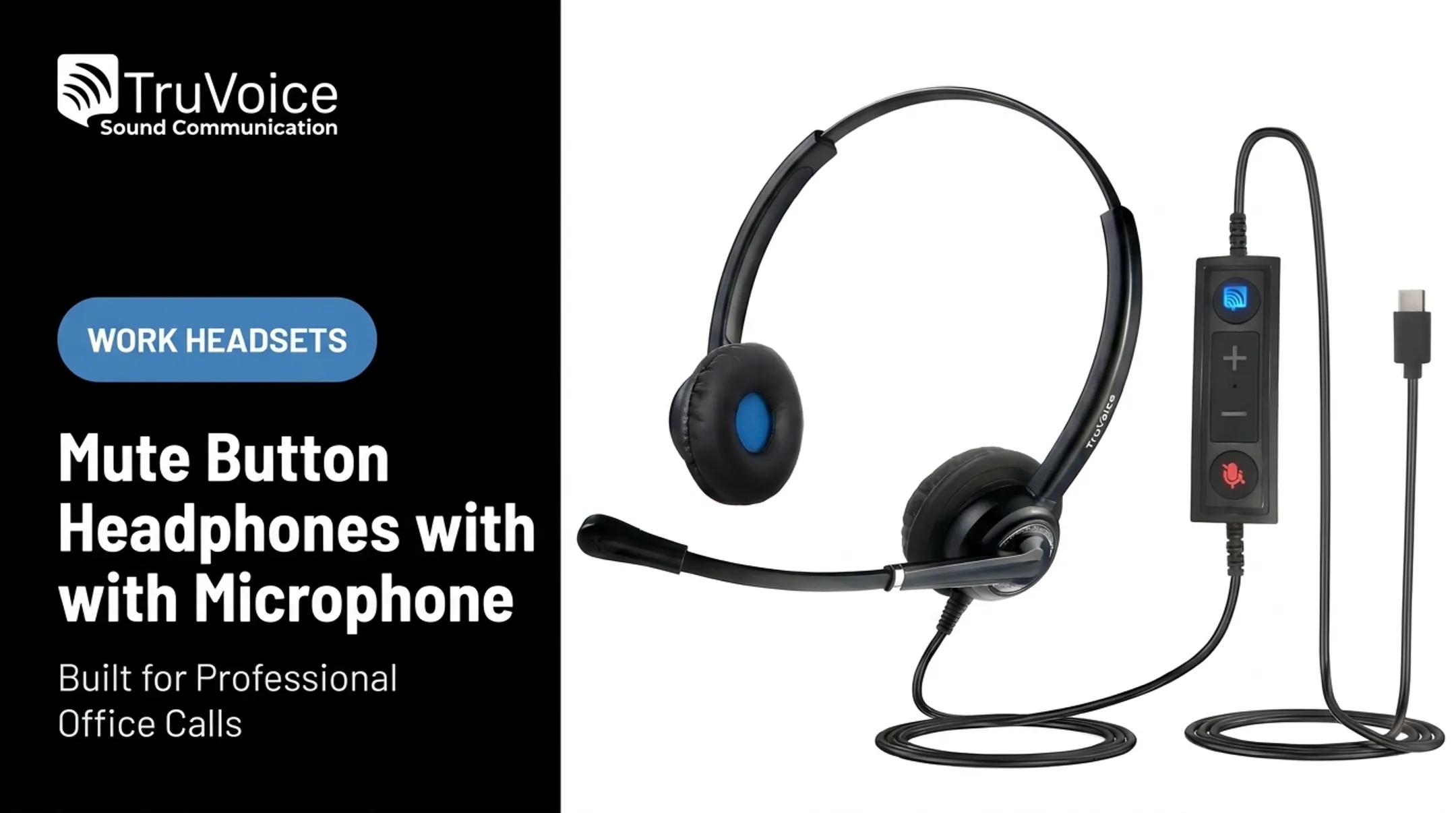
TruVoice built its headset range around a simple pitch: comparable performance to bigger-name brands at a lower price, backed by US-based support. The HD-150 anchors the line. It's a dual-ear USB headset bundled with a USB-C adapter cable, a noise-canceling microphone, and a 270-degree rotating boom that lets you position the mic without contorting the headband.
It connects directly to computers, laptops, and softphones. Using it with a desk phone or cell phone requires an additional adapter cable, worth confirming if you're planning to run one headset across multiple devices.
The backing behind the hardware is what sets the range apart. TruVoice has over 30 years of telecom experience, and every product in its catalog includes lifetime product support plus a 30-day no-questions-asked return window on website orders. Offices and contact centers ordering more than a few units also get bulk pricing.
| Spec | Details |
|---|---|
| Price | Verify current pricing at checkout |
| Connector | USB-C adapter cable (bundle) |
| Microphone | Noise-canceling, 270° rotating boom |
| Compatibility | PCs, laptops, softphones; adapter needed for desk/cell phones |
| Wearing style | Dual-ear (stereo) |
| Warranty/support | Lifetime product support, 30-day returns |
Jabra Evolve2 30
The Jabra Evolve2 30 targets office workers who spend hours a day on PC calls and video meetings. The USB-A/C UC Stereo variant (MPN 23189-989-879-01) ships with memory-foam oval ear cushions and an angled earcup shape built for full-day wear, based on Jabra's product listings.
Jabra's official page describes the Evolve2 30 as lightweight and noise-isolating for collaborative calls, working as plug-and-play with both USB-A and USB-C. That said, Jabra's published materials don't reliably confirm microphone specifications or the certified platform list for this exact SKU. Check the current datasheet or an independent hands-on review before standardizing an entire office on it.
| Spec | Details |
|---|---|
| Price | $97.24 (sale), $120.00 (regular) |
| Connector | USB-A/C |
| Microphone | Noise-isolating design; detailed spec requires verification |
| Compatibility | PC plug-and-play; confirm certified platforms before bulk order |
| Comfort | Memory-foam oval cushions, angled earcups |
| Wearing style | Stereo, dual-ear |
Logitech Zone Wired
Logitech built the Zone Wired for noisy, open-plan offices, where a colleague talking loudly two desks over can bleed straight into your call. Its dual ECM microphones run through onboard DSP that suppresses keyboard clicks and nearby voices as close as 2 feet away, according to Logitech's own datasheet.
The headset connects over USB-C, with a USB-A adapter included for older desktops. The boom rotates 270 degrees and mutes automatically when flipped up, saving you from fumbling for the inline control mid-call. Those buttons also handle volume, answer/end, reject, and play/pause.
Logi Tune software adds EQ presets and custom tuning. Logitech Sync lets IT teams manage firmware across a fleet of headsets, useful for anyone deploying dozens rather than one. At 7.4 oz (211 g), it stays light for extended wear, and it's backed by a 2-year warranty. The compatibility list covers Teams, Zoom, Webex, Google Meet, and more.
| Spec | Details |
|---|---|
| Price | Verify current pricing |
| Connector | USB-C, with included USB-A adapter |
| Microphone | Dual ECM, DSP noise cancellation |
| Compatibility | Teams, Zoom, Webex, Google Meet, and more |
| Controls | Inline mute/volume/answer, flip-to-mute boom |
| Comfort | 7.4 oz (211 g) |
| Warranty | 2 years |

Yealink UH Series USB Headset
Yealink's UH36 is built for businesses standardizing headsets across an entire office, where IT teams need predictable specs rather than a grab-bag of consumer models. It's available with USB-A, USB-C, or a 3.5 mm connection, so confirm which version you're ordering since box contents differ by SKU.
Passive noise cancellation and a noise-canceling microphone handle background office noise, per Yealink's product page. What isn't consistently documented across listings is the exact Teams or Zoom certification for the USB variant, plus the in-line control layout, so check the current datasheet before a multi-unit order.
For businesses already running Yealink desk phones, standardizing on the UH series keeps procurement simple: one supplier, predictable compatibility, centralized purchasing.
| Spec | Details |
|---|---|
| Price | Verify current pricing |
| Connector | USB-A or USB-C (confirm exact SKU) |
| Microphone | Noise-canceling mic, passive noise cancellation |
| Compatibility | Verify Teams/Zoom certification for USB variant |
| Wearing style | Dual-ear |
Wireless Headsets With a USB Dongle
Going wireless trades a cable for a battery and a dongle. TruVoice's BT75 Bluetooth Wireless Headset (MPN T2101) pairs with a USB dongle for computer connection, charges fully in about 1.5 hours, and holds up to 500 hours of standby time, useful if you're not on back-to-back calls all day.
The trade-off with any wireless headset is real: you're managing battery charging, dongle storage, and pairing instead of just plugging in a cable. Range and call quality can also dip near crowded Wi-Fi networks.
For enterprise deployments needing longer range, Jabra's Evolve2 65 pairs with the Link 380 Bluetooth adapter and is rated for up to 100 feet of range with roughly 37 hours of battery life, per Jabra's technical specifications, though it sits at a higher price point than the BT75.
| Spec | Details |
|---|---|
| Wireless tech | Bluetooth |
| Dongle | USB dongle included |
| Battery | ~1.5 hr full charge, up to 500 hrs standby |
| Charging | USB charging cable |
| Price | $49.50 (sale), $99.00 (regular) |
How We Chose the Best USB Headsets
We built this comparison from three layers of evidence: manufacturer specification sheets, independent hands-on reviews, and real usage patterns reported by IT teams and call center supervisors. No single headset ranks as objectively best. The right pick depends on your desk setup and calling environment.
Microphone Quality
We looked past marketing terms like "HD voice" and focused on what affects a real call:
- Voice clarity in a normal speaking position, not just directly against the mic
- Background-noise suppression for keyboards, open offices, and nearby conversations
- Boom flexibility, since a fixed mic angle can hurt clarity for some users
- Sidetone and mute behavior, which affect whether you can hear yourself mid-call
Jabra's Engage 40, for example, uses two separate microphones: one for background-noise reduction and one dedicated to voice clarity. That dual-mic approach appears across several higher-end business headsets.
Connection and Compatibility
Before comparing sound quality, confirm the headset physically works with your setup:
- USB-A versus USB-C port availability on your PC or dock
- Whether a USB-C headset ships with a USB-A adapter or requires one separately
- Windows, macOS, and browser-based meeting support
- Whether extra software is needed, like Jabra's Engage LINK accessory for Skype for Business compatibility
Comfort for Full Shifts
Weight and cushion material matter more over an eight-hour shift than in a ten-minute demo. Published weights among headsets we reviewed ranged from roughly 130 grams to over 200 grams. Adjustable headbands and replaceable ear cushions extend usable life well past the first year.

Total Value, Not Just Price
Purchase price is only part of the equation. We also weighed:
- Warranty length
- US-based technical support availability
- Return policy terms
- Bulk pricing for teams standardizing on one model
Quick decision guide:
- Lowest-cost setup: TruVoice HD-150
- Clearest microphone: dual-mic designs like the Jabra Engage 40
- USB-C computer: Logitech Zone Wired or Yealink UH36 (confirm SKU)
- Wireless mobility: TruVoice BT75 or Jabra Evolve2 65
- Office standardization: Yealink UH series for IT-managed desks
- High-volume purchasing: ask about bulk pricing before ordering more than 10 units
Conclusion
The best USB headset with a microphone is the one that matches your computer's ports, your calling environment, and how many hours a day you'll wear it. A remote worker on a few calls a week has different priorities than a contact center running three shifts of agents.
Before you order, run through this quick checklist:
- Confirm the connector type
- Check operating-system compatibility
- Verify what's included in the box
- Look up current pricing and warranty terms
Whether you're outfitting one home office or replacing headsets across a contact-center floor, TruVoice Telecom offers impartial headset guidance, US-based technical support, and bulk purchasing options. Call +1-888-448-5556 or contact the team online before you commit to a model.
Frequently Asked Questions
What is a good budget-friendly USB headset with a microphone?
The TruVoice HD-150 is a solid budget pick: a dual-ear USB headset with a noise-canceling mic and a USB-C adapter cable in the box. TruVoice backs it with lifetime support and a 30-day return window.
Do USB headsets work on PC?
Yes. Most USB headsets work with any PC that has a compatible USB-A or USB-C port and a supported operating system. You'll typically need to select the headset as your default input and output device.
What are the best USB headsets with a microphone for PC?
For office calls, the Logitech Zone Wired and Jabra Evolve2 30 both perform well. Budget buyers should look at the TruVoice HD-150, while offices standardizing across desks often choose the Yealink UH series.
What are the best USB-C headphones with a microphone?
Logitech's Zone Wired and Yealink's UH36 both offer verified USB-C connectivity, with the Zone Wired including a USB-A adapter in the box. Always confirm whether your specific SKU ships with an adapter.
Which headset has the best microphone quality?
Dual-microphone designs, like Jabra's Engage 40, separate voice from background noise more effectively than single-mic models. Logitech's Zone Wired also uses dual ECM microphones tuned for open-office noise.
What is the best wireless headset that includes a USB dongle?
TruVoice's BT75 offers a straightforward, budget-friendly wireless option with a USB dongle and up to 500 hours of standby time. For longer range and enterprise deployment, Jabra's Evolve2 65 with the Link 380 adapter is a stronger fit.