
Introduction
Dropped calls. Muffled voices on the other end. A cable that catches on your chair every time you reach for coffee.
If that sounds familiar, inconsistent audio and tangled cords are among the most common frustrations for hybrid and in-office teams.
The right wireless headset solves these problems, but "the right one" isn't the same for every desk. A contact center agent taking 80 calls a day needs different features than a sales rep splitting time between the office and the road. Your calling platform, device mix, and microphone requirements matter more than the logo on the headband.
This guide compares five wireless headsets built for US offices, contact centers, sales teams, and remote setups: TruVoice's own wireless range, Jabra's Evolve2 75, Poly's Voyager Focus 2 UC, Yealink's WH62, and Shokz's OpenComm2 UC.
We'll break down what each does well, where it falls short, and how to match a headset to your actual work environment.
Key Takeaways
- Value pick: TruVoice BT75 and Agent DECT balance mic clarity, range, and price against pricier brands.
- Mic clarity: Jabra Evolve2 75's 8-mic array and Poly's Acoustic Fence set the bar for call quality.
- Yealink WH62 wins for desk-phone roaming—PC and IP phone stay connected at once over DECT.
- Shokz OpenComm2 UC keeps ears open for receptionists and mobile workers who need awareness.
- Before bulk orders, confirm UC platform compatibility and total cost of ownership.
Overview of Wireless Headsets in the US Workplace
A wireless work headset connects to a computer, desk phone, mobile device, or UC platform without a cable holding you hostage. That's the basic definition, but the category splits into three connection types, each suited to different jobs.
Bluetooth, USB Dongle, and DECT: Match the Type to the Job
- Bluetooth fits mobile and hybrid workers switching between phone and laptop. Range typically runs up to 100 feet, according to HP's business headset guide, though walls cut that fast.
- USB-dongle wireless ships pre-paired, giving PCs, Chromebooks, and Macs a stable connection without native Bluetooth driver headaches.
- DECT is the cordless-telephony standard built for enterprise environments. It handles multi-cell deployments and typically outlasts Bluetooth over distance, making it the pick for contact centers and desk-phone roamers.
ANC vs. Microphone Noise Suppression: Don't Mix These Up
This trips up more buyers than any other spec on the sheet. Active Noise Cancellation (ANC) reduces the noise you hear (useful for focus, irrelevant to the person on the other end of your call). Microphone noise suppression (ENC) filters what your mic picks up, so callers hear you instead of the office chatter around you.
As Jabra's engineering blog explains, ANC generates anti-noise for the wearer, while microphone-side suppression cleans up the outgoing signal. Buy a headset with excellent ANC and a mediocre mic, and you'll enjoy quiet music while coworkers on Zoom struggle to hear you over the printer.

Beyond connection type and noise handling, treat these as operational requirements, not nice-to-haves:
- Battery life rated for a full shift (8+ hours minimum)
- Call controls for mute, volume, and answer/end
- Confirmed compatibility with your desk phone, PC, and UC platform
- Comfort for all-day wear: weight, clamping pressure, cushion material
The five headsets below get evaluated against exactly those criteria, not brand recognition.
Best Wireless Headsets for Work
We ranked these on call clarity, microphone performance, comfort, connectivity, range, battery and charging, durability, and value, always relative to a specific work environment. A headset that's perfect for a home office might be the wrong pick for a 200-agent call floor.
TruVoice Wireless Headset Range
TruVoice builds its own line of wireless headsets designed to match bigger-brand performance at a lower price point. The range spans Bluetooth models for desk and remote work and DECT models for office roaming.
| Model | Connection | Range | Talk Time | Notable Feature |
|---|---|---|---|---|
| BT75 | Bluetooth or USB dongle | up to 50 ft | 22 hrs | Blocks up to 90% ambient noise via Qualcomm cVc |
| BT85 | Bluetooth or USB dongle (double-ear) | up to 50 ft | 22 hrs | Double-ear design for noisy spaces |
| Agent AW40 | DECT 6.0 | up to 350 ft | 9 hrs | Acoustic Shock protection, ultra-noise-canceling mic |
| Agent AW50 | DECT | up to 500 ft | Not documented | Ultra-noise-canceling mic, long-range roaming |
| Agent AW70 | Triple-connectivity base (desk phone, PC, cell) | Not documented | 9 hrs | Switches between three devices from one base |

The BT75 and BT85 suit remote workers and office staff who need Teams, Skype, Zoom, Cisco, Avaya, RingCentral, Vonage, Nextiva, or 3CX compatibility without the brand-name markup. The Agent series targets office staff who roam farther from their desk phone, plus organizations standardizing multiple headsets across a floor.
Pricing and support: The BT75 lists at $49.50 on sale against a $99.00 regular price — pricing on other models varies, so confirm current rates before ordering in volume. Every TruVoice order includes:
- 30-day returns on website purchases
- Lifetime product support
- Bulk discounts on multi-unit orders
What we can't confirm yet: exact pricing across the full Agent lineup, or independent lab testing benchmarked against Jabra or Poly. If your team needs that level of verification before a bulk order, that's worth a direct conversation with support.
Jabra Evolve2 75
Jabra's Evolve2 75 leans on 8 microphones (four analog MEMS, four digital MEMS) feeding Jabra Advanced ANC with 11 adjustable settings. Switch to Performance Mode with the boom down, and it meets Microsoft's Open Office noise requirements; flip to Discreet Mode and the boom tucks away for calls on the move.
Battery figures vary slightly between Jabra's own documents, so treat these as ranges:
- Up to 36 hours music (ANC off) or 33 hours (ANC on)
- Up to 24 hours talk time with ANC and busylight off
- USB-C charging, roughly 160 minutes for a full charge
Connectivity runs on Bluetooth 5.2 with up to 30 meters (100 ft) of range, pairing with up to 8 devices and connecting to 2 simultaneously. The included Jabra Link 380 adapter handles the PC side. It's Teams-certified, though you'll want to confirm certification for platforms beyond Teams before standardizing.
PCMag's independent review found excellent call sound and a comfortable on-ear fit. ANC held up well against low-frequency noise but was weaker against higher-pitched office chatter, a reminder that ANC specs don't tell the whole story.
Who it fits: hybrid workers and managers alternating between computer and mobile calls, plus anyone who values a busylight for open-office signaling.
What to verify first: the Jabra Sound+ app is required to adjust ANC levels, the charging dock is sold separately on some SKUs, and the on-ear fit won't suit every head shape.
Poly Voyager Focus 2 UC
Poly's Voyager Focus 2 UC pairs three ANC settings — off, low, high — with a noise-canceling boom built on Acoustic Fence technology, aimed at filtering background sound before it reaches the caller.
Specs worth checking against your setup:
- Bluetooth 5.1 with the included BT700 USB adapter for PC, plus direct Bluetooth for mobile
- Up to 50 meters (164 ft) of UC range
- Up to 25 hours battery with ANC and online indicator off, or 16 hours with both on
- Under 2 hours to charge
One independent review from Serious Insights described the ear cushions as light and comfortable, confirmed the three ANC levels work as advertised, and praised Poly Lens for device management, while flagging the continued use of micro-USB as dated.
Who it fits: open-office and home-office workers who need reliable computer and mobile connectivity plus a quieter listening experience.
What to verify first: Poly documents separate UC, UC-with-charging-stand, and Office-base configurations. The Office base for desk-phone connectivity is sold separately, so don't assume a UC model plugs into your desk phone out of the box.
Yealink WH62
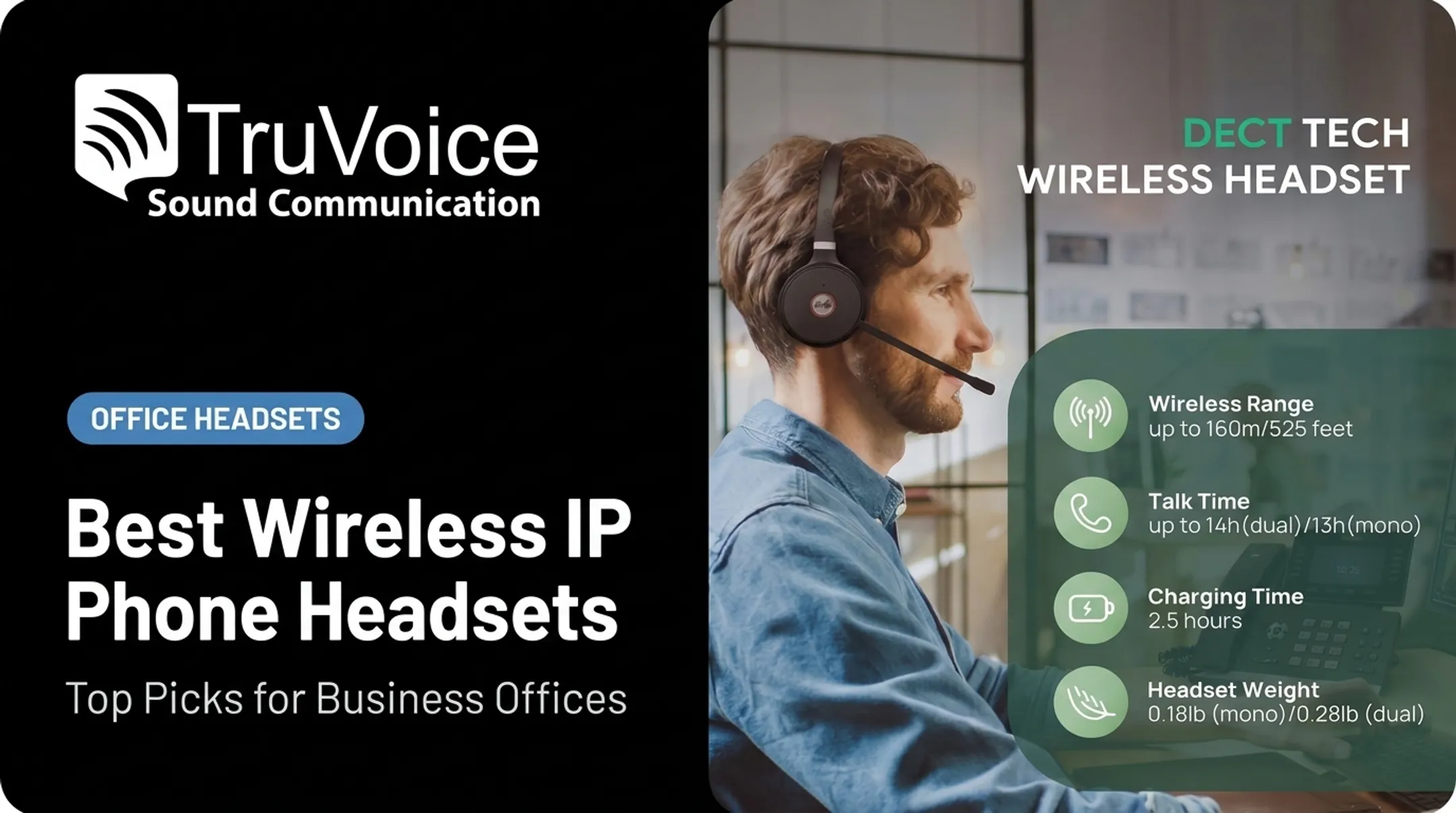
The Yealink WH62 runs on DECT, with a base station rated for up to 160 meters (525 ft) between base and headset — walls and interference will cut that number down in practice. It supports simultaneous PC and IP-phone connections, so you can stay on one call while the other line rings.
Yealink's Acoustic Shield uses two microphones to filter background noise and deliver HD voice, available in mono or dual-ear configurations. Talk time runs up to 13 hours mono or 14 hours dual, with roughly 2.5 hours to recharge.
A specialist range-and-microphone test found strong background-noise removal and high marks for range, though it rated microphone sound richness as average: solid for clarity, not studio quality. That same test noted the mono model's IP-phone compatibility was limited to specific Yealink T-series models at review time.
Who it fits: office staff, sales professionals, and reception teams who step away from their desk without losing the call, plus businesses already standardized on Yealink phones.
What to verify first: confirm your desk phone model appears on Yealink's supported list, and decide whether mono (better for note-taking) or dual-ear (better for noisy floors) fits the role.
Shokz OpenComm2 UC
Shokz skips ear coverage entirely. The OpenComm2 UC uses bone-conduction technology, resting just in front of your ears rather than sealing them, so you hear coworkers, your phone ringing, and everything else happening around you while on a call.
The adjustable boom mic uses DSP and cVc noise-canceling processing, paired with:
- Up to 16 hours talk time, 8 hours listening
- A 5-minute quick charge for 2 hours of talk
- Multipoint connectivity for one desk device plus one mobile device
- USB-A or USB-C dongle plus Bluetooth 5.1+ compatibility
- Zoom certification, with broader video-conferencing support (Teams-specific certification isn't confirmed on Shokz's current spec sheet)
SoundGuys' independent testing found clear, excellent boom-mic speech quality and strong rejection of environmental noise at the microphone. The open design blocks almost none of the sound reaching your ears, and the one-size fit plus proprietary charging cable are worth planning around.
Who it fits: receptionists, mobile workers, and sales professionals who need to stay aware of their surroundings, including a colleague walking up or traffic while driving between appointments.
What to verify first: the open-ear design offers zero passive isolation. If confidential calls in shared spaces are part of your day, look elsewhere on this list.
How We Chose the Best Wireless Headsets
We built this list from manufacturer specifications, independent testing, current US availability, and documented compatibility, not brand reputation or price alone.
What We Measured
- Microphone quality and noise handling: call recordings, pickup patterns, mute controls, and whether processing distorts natural speech
- Connectivity and compatibility: Bluetooth version, USB dongle inclusion, multipoint pairing, DECT range, and desk-phone support
- All-day usability: weight, earcup design, clamping pressure, mono vs. stereo, and comfort feedback
- Business value: verified pricing, battery performance, warranty terms, returns, support, and bulk discounts
We also weighed platform certification where it maps to those checks. Microsoft's Teams device requirements cover plug-and-play behavior, audio quality, and whether the Teams button controls answer, mute, and volume. That bar is useful even when you are not buying a Teams-specific SKU.

Common Buying Mistakes to Avoid
- Confusing ANC (what you hear) with microphone noise suppression (what callers hear)
- Assuming any Bluetooth headset works with a desk phone (most don't without a DECT base or adapter)
- Forgetting the USB dongle: native Bluetooth needs current PC drivers that older machines may lack
- Buying consumer headphones without call controls, mute buttons, or UC certification
- Skipping a live test with your actual PC, desk phone, and Teams or Zoom setup before a bulk order
Conclusion
The best wireless headset for work matches your environment, calling platform, mobility needs, and microphone requirements. A receptionist juggling walk-ins needs different features than an agent glued to a desk for eight hours straight.
Before standardizing on any model, test it on your real PC, desk phone, mobile device, and Teams or UC setup. Use your actual background noise, not a quiet showroom.
Whether you are buying one headset or outfitting a floor, TruVoice Telecom offers impartial guidance, bulk pricing, and US-based technical support. That help is aimed at a headset that fits your budget and call volume.
Frequently Asked Questions
What is the best wireless headset with a microphone for work?
It depends on your platform, wearing style, and environment. For most offices, the Jabra Evolve2 75 or TruVoice BT75 cover mic clarity and UC compatibility without excessive cost.
Which wireless headset has the best microphone quality?
The Jabra Evolve2 75's 8-mic array and Poly's Acoustic Fence design lead for background-noise suppression. That mic performance is separate from ANC, which only changes what the wearer hears.
What is the best Bluetooth headset with a microphone for office use?
Look for multipoint pairing, a USB dongle option, stable indoor range, and confirmed compatibility with your calling platform. The TruVoice BT75 and Poly Voyager Focus 2 UC both check these boxes.
What is the best wireless headset for PC?
A USB-dongle model avoids native Bluetooth driver issues on older machines. The Poly Voyager Focus 2 UC and TruVoice BT75 both include a dongle while still supporting mobile Bluetooth.
What is the best headset for sales professionals?
Sales roles need mobility, clarity, and all-day comfort. The Shokz OpenComm2 UC suits reps who need situational awareness; the TruVoice Agent AW70 suits those switching between desk phone, PC, and cell.
What is a UC-compatible headset?
A unified communications (UC) compatible headset is tested and tuned for platforms like Microsoft Teams or Zoom. Testing covers audio quality, call-control integration, and reliable mute/volume behavior, not just Bluetooth pairing.