
Introduction
Agents on a busy contact center floor might spend six to eight hours a day wearing a headset.
When that device pinches after lunch or lets background chatter bleed into every call, it shows up in metrics: longer handle times, frustrated customers, and agents reaching for painkillers by 3 p.m.
The "best" call center headset isn't a single product. It depends on your phone system, how noisy your floor is, whether agents sit at a desk or move around, how many units you're buying, and whether you need trainer-monitoring features for onboarding.
This guide compares five headset options across wired, wireless, USB, and DECT categories, then walks through the framework procurement teams and IT managers actually use to choose between them.
Key Takeaways
- Match USB/QD headsets to desk phones and softphones; use DECT or Bluetooth for mobile agents.
- Prioritize microphone noise cancellation over ANC—customers hear your agents, not the room.
- Factor comfort, durability, and support into total cost, not just sticker price.
- TruVoice Telecom supports US bulk orders with lifetime support and a 30-day money-back guarantee.
Overview of Call Center Headsets in the US Market
A call center headset combines a microphone, speaker, and connection method built for hours of continuous voice traffic—not casual music listening. That distinction matters. Consumer earbuds are tuned for bass response; call center headsets are tuned for speech intelligibility and noise rejection.
Requirements shift depending on where the headset lands:
- High-volume contact centers need durability, replaceable ear cushions, and microphone noise cancellation that cuts through floor noise.
- Corporate offices often prioritize UC-platform certification and comfort over raw ruggedness.
- Remote and hybrid teams typically need simple USB or Bluetooth setups with minimal IT involvement.
- Training departments require dual trainer/trainee setups so supervisors can listen and coach live.
- Dispatch environments need push-to-talk compatibility and hands-free reliability.
Wireless adoption keeps climbing across the industry. ContactBabel's 2024 US Contact Center Decision-Makers' Guide found that 77% of contact centers used wireless headsets, with wireless models making up an average of 58% of headset inventory at those sites. That's a real shift from the wired-only floors of a decade ago. Wired options still dominate high-density desk-phone floors, where reliability and cost control beat mobility.

From there, buyers usually narrow to four connection types and a mono-or-stereo form factor:
- Wired USB — direct to PC or softphone
- Wired QD — quick-disconnect with amplifiers on traditional desk phones
- Bluetooth wireless — flexible for hot desks and hybrid setups
- DECT wireless — stable multi-headset coverage on contact center floors
- Mono vs. stereo — mono for situational awareness; stereo when full immersion improves clarity
Top Call Center Headsets to Buy
Five factors separate a good headset from a headache: microphone clarity, comfort across a full shift, connection reliability, platform compatibility, and total cost once you factor in support and replacements. Here's how five current options stack up.
| Headset | Connection | Best For | Starting Price |
|---|---|---|---|
| TruVoice HD-500/VoicePro 80 | Wired QD/USB | High-volume call centers | $44.96+ |
| Jabra Engage 50 II | Wired USB-A/USB-C | Contact centers on UC platforms | Check reseller |
| Yealink WH62 | DECT wireless | Desk-phone + PC agents | $159.00+ |
| Poly Blackwire 8225 | Wired USB-C | Teams-certified offices | $173.99 |
| Logitech Zone Wired 2 | Wired USB-C/USB-A | Remote and hybrid workers | $129.99 |
TruVoice HD-500 and VoicePro 80
For high-volume floors watching cost per seat, TruVoice's wired options hit the clarity and budget marks without a premium brand markup. The HD-500 is built for all-day call center use, with a noise-canceling mic that keeps speech clear when the floor gets loud.
UC teams often prefer the VoicePro 80: dual USB-A/USB-C, a 330-degree rotating noise-canceling boom, a Teams focus light, and acoustic shock protection, from $44.96. Training teams can add TruVoice wireless coaching headsets for three-way trainer, trainee, and customer audio across desk phones, PCs, and cells, with up to 350 feet of range.
Buyer notes:
- QD, USB-A, USB-C, DECT, and Bluetooth options, plus cables for Cisco, Avaya, Grandstream, and similar desk phones
- US-based tech support, lifetime product support, and a 30-day money-back guarantee on website orders
- Bulk discounts and $14.95 flat-rate shipping across the contiguous US, free on large bulk orders
- Collection sale prices run about $35.10–$454.97; match QD headsets to the correct amplifier cable before you order
Jabra Engage 50 II
The Jabra Engage 50 II targets contact centers that need strong mic clarity on UC platforms. A three-mic array, BalancedVoice processing, and noise-isolating earcups help agents stay intelligible on a loud floor.
It weighs just 45 grams, with angled cushions meant to cut hot spots on long shifts. Jabra backs it with a three-year warranty after boom-arm stress testing for rotation and impact.
Audio and microphone performance:
- Three-microphone array for background-noise cancellation
- Speech-optimized speakers plus noise-isolating earcups
- SafeTone technology for acoustic-shock protection
Connectivity: Mono USB-C and Stereo USB-A variants, with versions certified for Microsoft Teams, Zoom, and Google Meet. No Bluetooth or DECT option.
Commercial details: Jabra's US buy page has listed the Engage 50 II as sold out with no live price. Confirm stock and street pricing through authorized US resellers before you standardize on it.
Yealink WH62
For agents who jump between desk phones and PCs, the Yealink WH62 DECT Wireless Headset removes mid-shift cable swaps. It stays connected to both devices so either call can be answered from one headset.
Acoustic Shield uses two microphones to filter floor noise before it hits the caller. A busylight shows when an agent is on a call and helps cut shoulder taps.
Specifications:
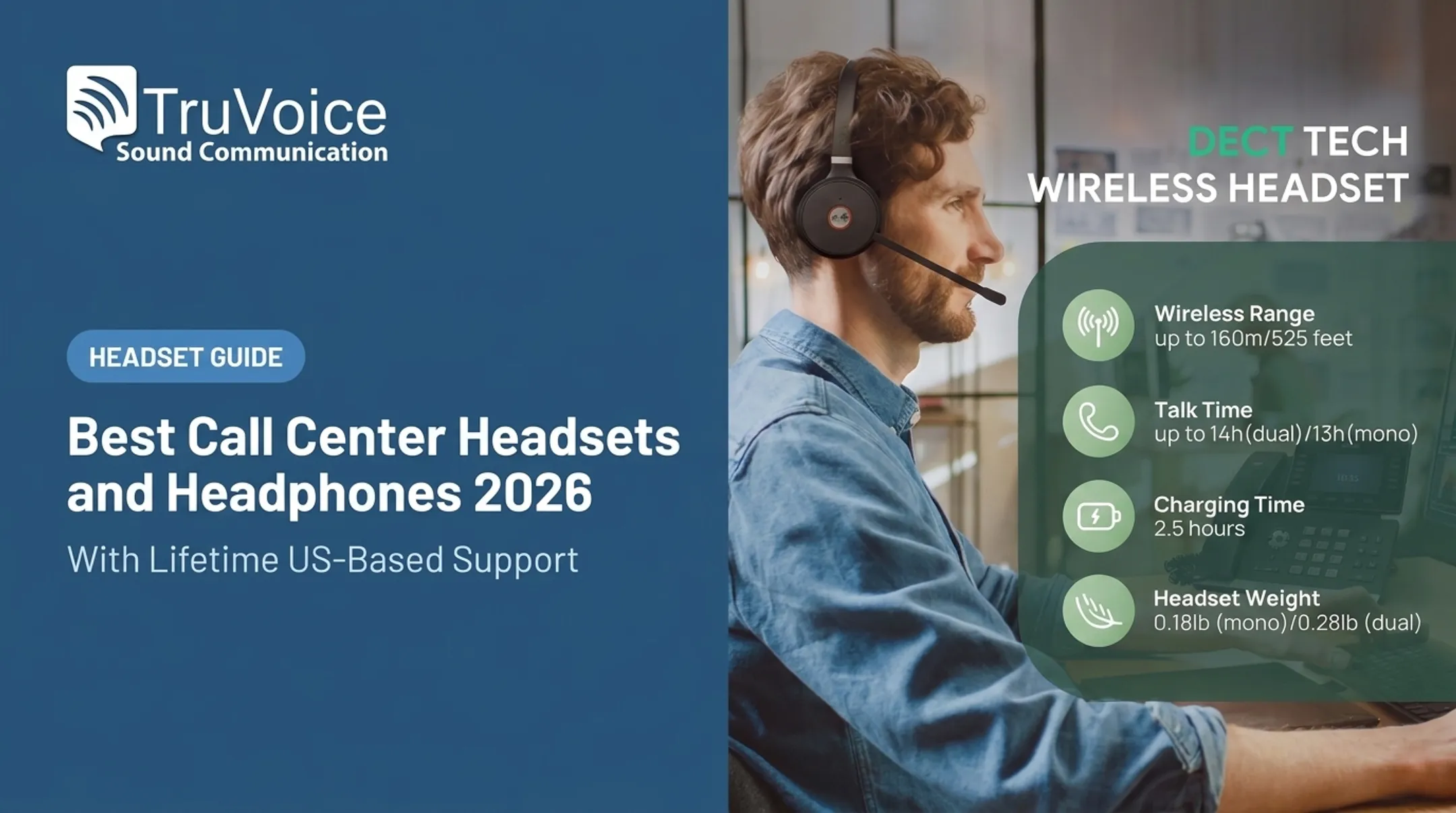
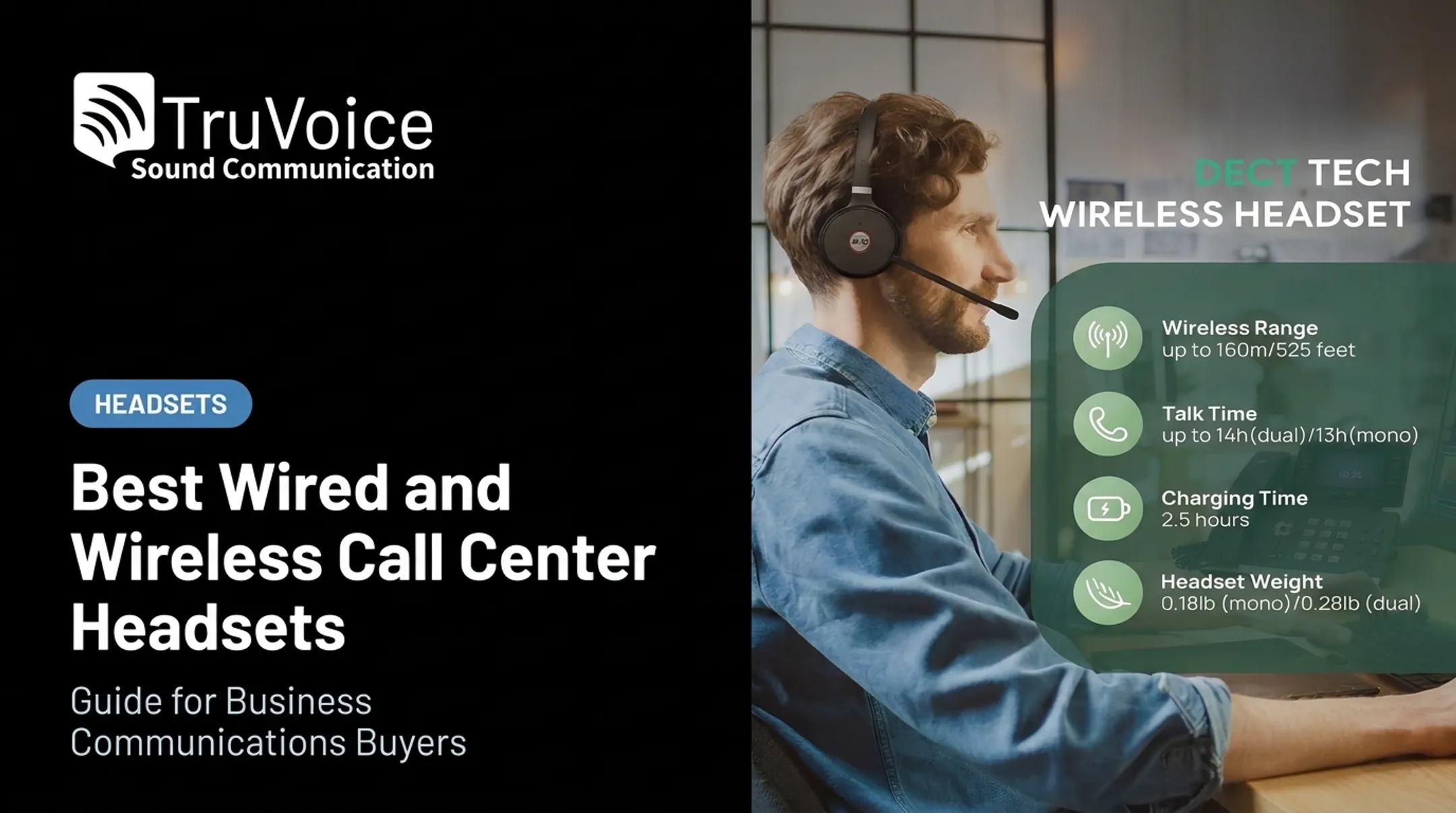
- Wireless range up to 160 meters / 525 feet from the base
- Talk time up to 13 hours mono, 14 hours dual
- Charge time about 2.5 hours
- Weight: 0.18 lbs (mono) / 0.28 lbs (dual)
Best fit: Desk-phone agents who also take PC softphone calls, including Teams-certified setups that should not need a second USB headset.
Procurement: Yealink lists 36 months of headset coverage. TruVoice prices the WH62 Mono at $159.00 and Dual at $182.00; other US listings have shown Dual UC near $194.99. Lock pricing and firmware needs before a bulk order.
Poly Blackwire 8225
The HP Poly Blackwire 8225 is a corded USB-C pick for agents who want stable wired pickup and stronger noise control. Acoustic Fence is tuned so the wearer's voice stays dominant while office noise drops back.
Hybrid ANC adds three adjustable levels on the speaker side, with a four-mic array. That mix suits open offices where agents toggle between live calls and quiet focus work.
Call quality and comfort:
- Noise-canceling microphone with Acoustic Fence
- Hybrid ANC with three user-adjustable levels
- Stereo design for fuller call audio
Compatibility: USB-C with a tethered USB-A adapter. Microsoft Teams, Zoom, and Chromebook certified versions are available; the Teams variant adds a dedicated call-control button.
Ownership cost: US reseller pricing has landed near $173.99, with Poly's standard two-year limited warranty. Wired-only gear usually means simpler imaging and fewer battery tickets than DECT fleets.
Logitech Zone Wired 2
Remote agents, hybrid teams, and smaller softphone-only offices get a simpler path with the Logitech Zone Wired 2 for Business. No DECT base: plug into a laptop and go.
Adaptive hybrid ANC, dual noise-canceling mics, and AI Mic EQ clean up the voice path. It also meets EN 50332 and G616 hearing-protection standards, which matters for long daily talk time.
Best fit and limitations: Strong for remote workers, hybrid teams, and light-to-moderate call volume. Skip it for large floors that need desk-phone integration or DECT-class range.
Features:
- USB-C and USB-A connectivity
- Dual noise-canceling microphones with AI processing
- Certified for Microsoft Teams, Zoom, Google Meet, and Google Voice
Value: $129.99 on Logitech's US site, with free 30-day returns. CNET's 2026 work-from-home headset roundup flagged its noise reduction and sound quality as standouts at this price, which suits home-agent kits on a tighter budget.
How We Chose the Best Call Center Headsets
Brand reputation is a poor substitute for matching a headset to your actual operating environment. The most common buying mistake we see is ordering Bluetooth headsets for desk phones that only support DECT or wired connections—or picking consumer headphones with weak mics because they cost less upfront.
We scored every headset on five criteria:
Voice quality in both directions. Verify microphone noise suppression, echo control, and speaker clarity, not marketing claims alone. For long shifts, look for hearing-protection features such as Jabra PeakStop or Logitech EN 50332/G616 compliance.
Technical compatibility, confirmed before purchase. Confirm desk-phone connector type, QD amplifier needs, USB-A vs. USB-C, and Bluetooth or DECT range. UC certification matters too: Microsoft Teams requires certified headsets to deliver wide-band audio without echo, distortion, or excessive glitches.
Comfort for a full shift. Weigh mono vs. stereo, headband adjustability, ear-cushion material, overall weight, and boom-mic clearance for agents who wear glasses. A 45-gram headset feels very different after seven hours than a 90-gram one.
Deployment and ownership factors. Check durability testing, real-office wireless range (not only line-of-sight lab specs), battery life, warranty length, and how easily you can source replacement ear cushions, cables, and boom mics.
Total cost of ownership, not sticker price. A $35 headset replaced every six months costs more over two years than a $150 headset with a real warranty. Factor in bulk discounts, replacement-part availability, and support responsiveness.

Those filters keep the focus on fit for call-center floors, desk-phone setups, and remote agents—not brand hype alone.
Conclusion
No single call center headset wins for every setup. The right pick matches your phone system, noise environment, wearing preference, mobility needs, and deployment scale. A desk-bound agent on a legacy Avaya system needs something different from a remote support rep on Zoom.
Before you standardize across a floor or company, put a few representative units through real use:
- Test compatibility on your actual phone system, not only the spec sheet
- Gather comfort feedback after a full shift, not a five-minute demo
- Calculate total cost of ownership over the headset's expected life, including parts and support
Planning a headset refresh, contact center rollout, training-team setup, or bulk purchase? TruVoice Telecom provides impartial product guidance, US-based technical support, and quotes built around your requirements.
Frequently Asked Questions
What type of headset is best for a call center?
It depends on your setup: wired USB or QD suits fixed desk-phone environments, while DECT suits agents who move around a floor. Prioritize microphone clarity and comfort over brand name, and always confirm phone-system compatibility first.
Are wired or wireless headsets better for call centers?
Wired headsets offer simpler deployment, no charging management, and typically lower cost—ideal for high-density floors. Wireless (DECT) headsets add mobility and reduce cable clutter but require charging routines and slightly more IT oversight.
What is the difference between noise-cancelling microphones and active noise cancellation?
A noise-cancelling microphone filters background sound before it reaches the customer, while active noise cancellation reduces sound the wearer hears. Call centers should prioritize microphone noise cancellation first since it directly affects customer experience.
Do call center headsets work with desk phones and softphones?
Compatibility depends on the connector type, whether an amplifier or adapter is needed, USB or Bluetooth support, and platform certification. Always verify your exact phone model and softphone before purchasing.
How much should a business spend on call center headsets?
Pricing varies widely by connection type and durability, from around $35 for basic wired models to $450+ for premium wireless units. Compare expected service life, warranty coverage, and bulk discounts rather than judging on per-unit price alone.
What should businesses check before buying headsets in bulk?
Confirm phone-system compatibility, agent comfort preferences, microphone performance, replacement-part availability, warranty terms, and return policy. Run a small trial order before standardizing across the whole team.